

Why is my smoke detector blinking red? This is one of the most common home safety questions homeowners ask, and the answer depends entirely on the blink pattern, the brand, and whether any sound accompanies the light. A red blinking light is not always a sign of danger — in fact, it is often completely normal.
But in some cases it signals a low battery, a dirty sensor, a recent alarm, or a unit that needs replacing.
What the Red Light on a Smoke Detector Actually Means
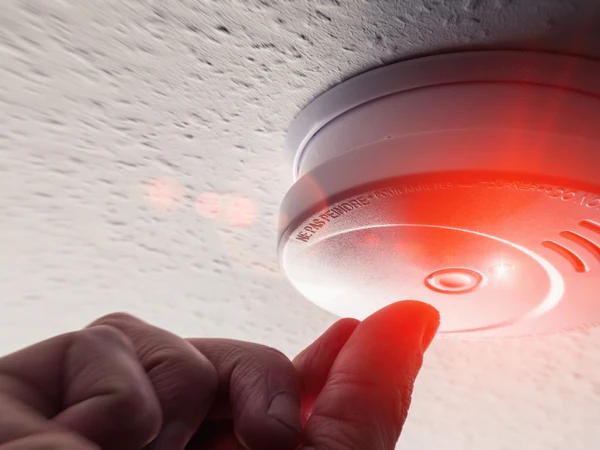
Most smoke detectors are equipped with an LED indicator light that communicates the device’s current status. The red light is the most commonly used and has several different meanings depending on how it blinks.
Understanding whether the light is blinking slowly, blinking rapidly, blinking with a sound, or staying solid is the key to diagnosing what is happening. Each pattern tells a different story, and responding correctly keeps your home safe.
Smoke Detector Blinking Red: Every Blink Pattern Explained
Not all red blinks are the same. The speed, frequency, and accompanying sounds are the most important things to observe before taking any action.
Red Blink Every 30 to 60 Seconds (Normal Operation)
This is the most common scenario and the one that causes the most unnecessary worry. A slow, single red blink every 30 to 60 seconds is the standard standby signal used by most major brands including Kidde and First Alert.
It simply means the detector is powered on, active, and monitoring the air for smoke. No action is needed. This is the light you should always see when your smoke detector is working properly.
Rapid Red Blinking (Smoke Recently Detected or Active Alarm)
If the red light is flashing quickly — several times per second — this is a sign that the detector has recently activated or is currently detecting smoke. This is the most urgent pattern and should be taken seriously immediately.
Check your home for smoke or fire. If there is no visible smoke or fire and the alarm has recently gone off, the rapid blinking may be the detector’s memory function showing that it triggered. It will reset to a slow blink once you clear and reset the device.
Red Blinking Every 30 Seconds With Chirping (Low Battery)
When a smoke detector blinks red roughly every 30 seconds and emits a chirp at the same interval, the battery is low and needs replacing. This is one of the most common causes of a blinking red light.
The chirp-and-blink combination is a deliberate alert designed to get your attention. Replace the battery as soon as possible because a smoke detector with a dying battery cannot protect your home.
Continuous or Solid Red Light (Fault or End of Life)
A solid red light that does not blink, or a very rapid continuous flash with no obvious fire, often indicates a sensor fault or end-of-life condition. This is not normal standby behavior.
Some models use a continuous red signal to warn that the internal sensor has degraded and the unit can no longer reliably detect smoke. In this case, replacement is the only solution.
Red Blinking After an Alarm Has Sounded (Memory Mode)
Many Kidde models and similar interconnected detectors have a memory or latch feature. After an alarm event, the unit that initially triggered will blink red faster than normal — often every 15 seconds — even after the alarm has stopped.
This is useful in interconnected systems because it tells you which specific detector triggered the alarm without you having to check every unit in the house. Resetting the detector clears this mode.
Red and Green Alternating Blink (Initialization or Pairing Mode)
If the light alternates between red and green, the detector is either powering up after a fresh battery installation, running a self-test, or — in the case of smart detectors like Nest Protect or Kidde smart alarms — entering a network pairing mode.
Wait a few minutes after a battery change or power-up. If the alternating lights continue beyond five minutes, consult your manual or reset the device.
Summary of Red Blink Patterns at a Glance
| Blink Pattern | What It Means | Action Required |
|---|---|---|
| Slow blink every 30–60 sec, no sound | Normal operation / standby | None — detector is working |
| Rapid blink, loud alarm sounding | Active smoke or fire detected | Evacuate, call 911 if needed |
| Blink every 30 sec + chirping | Low battery | Replace battery immediately |
| Solid red or very rapid constant blink | Sensor fault or end-of-life | Replace the detector |
| Fast blink every 15 sec, no alarm | Memory mode — recent alarm | Reset the detector |
| Alternating red and green | Startup, self-test, or pairing mode | Wait or consult manual |
| Red blink with no sound at all | Normal standby or low battery | Check battery and test unit |
Why Is My Smoke Detector Blinking Red? All Common Causes
Understanding the root cause behind the blink helps you fix the problem properly rather than guessing. Here are all the major reasons your smoke detector may be blinking red.
Low or Dead Battery
A low battery is the single most common cause of a blinking red light accompanied by a chirping sound. Most 9-volt and AA/AAA battery-powered detectors will begin this warning cycle when the battery drops below a certain voltage level.
Even hardwired smoke detectors have a backup battery. That backup battery is just as important — it keeps the detector running during a power outage. If it runs low, the same chirp-and-blink warning will activate.
Replace batteries in battery-powered units every 6 to 12 months, and test the unit after replacement to confirm the warning stops.
Normal Standby Operation
It bears repeating because it causes so much unnecessary concern: a slow red blink with no sound is simply the detector doing its job. It is confirming that it is powered and actively scanning for smoke particles.
If you are not sure whether what you are seeing is the standby blink, time the interval. One blink every 30 to 60 seconds with no beeping means everything is fine.
Dust, Debris, or Insects Inside the Sensor Chamber
Dust buildup inside the sensing chamber is one of the leading causes of false alarms and abnormal blinking. As particles accumulate over time, they can confuse the sensor into thinking smoke is present — triggering a blink or even a full alarm.
Pet hair, cooking grease vapors, construction dust, and even small insects can all accumulate inside the vents of a smoke detector. This issue is especially common in detectors that have not been cleaned in more than a year.
Cleaning the unit regularly (covered in detail below) prevents this problem.
The Detector Recently Detected Smoke
If your smoke detector went off recently — even briefly — many models will continue blinking rapidly or at a faster-than-normal rate to confirm that an event occurred. This is the alarm memory feature.
The blink continues until you acknowledge and reset the device. It is a helpful feature for identifying which unit in an interconnected system was the one that originally triggered.
End-of-Life Warning
Smoke detectors have a lifespan of approximately 10 years. After that, the internal sensors degrade and can no longer detect smoke reliably. Many modern detectors are programmed to signal this with a specific blink pattern or continuous chirp.
Check the manufacturing date printed on the back or inside the battery compartment of your detector. If the unit is 10 years old or older, replace it regardless of whether the sensors appear to be working. An expired detector is a false sense of security.
Sensor Malfunction or Fault
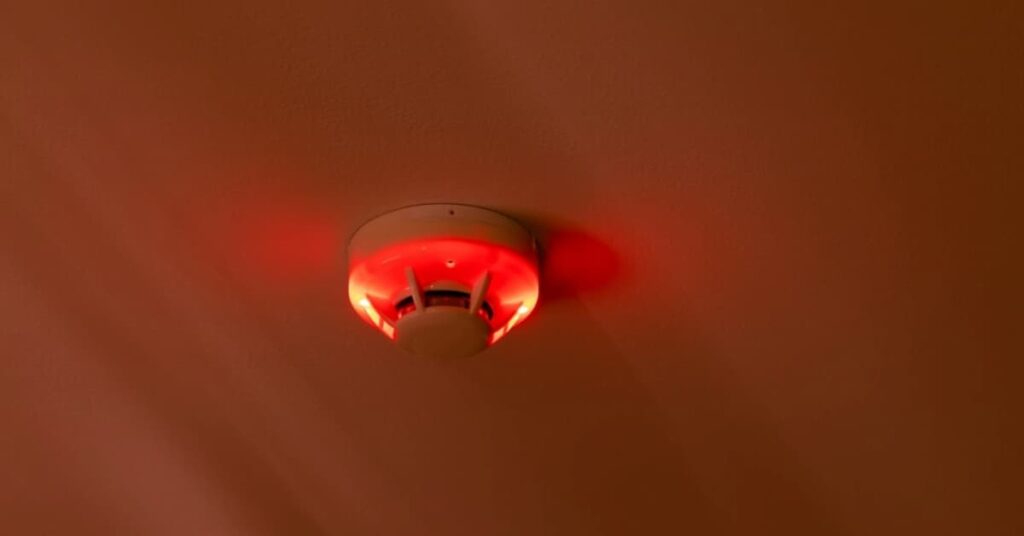
If the detector’s internal sensor has a fault — due to age, damage, or a manufacturing issue — it may blink red continuously or in an irregular pattern even when no smoke is present and the battery is fine.
A faulty sensor means the detector cannot perform its primary function. The appropriate response is to replace the unit. A smoke detector that cannot accurately detect smoke is worse than no detector at all because it creates a false sense of protection.
Steam, Humidity, or Cooking Vapors
Smoke detectors placed too close to bathrooms or kitchens can be triggered by steam, humidity, or cooking vapors. If the red blinking is accompanied by beeping in situations where there is clearly no fire, location may be the issue.
The National Fire Protection Association (NFPA) recommends placing smoke detectors at least 10 feet away from cooking appliances to reduce nuisance alarms. Moving the detector or switching to a photoelectric model can solve this problem.
Hardwired Power Issue or Loose Connection
For hardwired smoke detectors, a tripped circuit breaker, loose wiring connection, or interrupted power supply can cause irregular blinking behavior. The detector may blink in an abnormal pattern when it is not receiving stable power.
Check your breaker panel for tripped switches. If the breaker is fine, inspect the wiring connection at the detector. If you are not comfortable working with electrical wiring, contact a licensed electrician.
Interconnected System Alarm Triggered by Another Unit
In a networked or interconnected smoke detector system, when one unit detects smoke, all units in the house go off. After the event, the detector that originally triggered may continue blinking rapidly to identify itself.
This is especially common with Kidde and First Alert interconnected systems. The initiating unit will blink at a noticeably faster rate than the others. Reset all units to return to normal standby mode.
Brand-by-Brand Guide: What the Red Blink Means
Different brands use slightly different blink patterns. Knowing your brand makes diagnosis much faster and more accurate.
| Brand | Normal Standby Blink | Low Battery Signal | Post-Alarm Signal | Reset Method |
|---|---|---|---|---|
| Kidde | Red blink every 30–40 sec | Chirp every 30 sec + red blink | Fast blink every 15 sec | Hold Test/Silence 15–20 sec |
| First Alert | Red blink every 60 sec | Chirp + red blink | Faster blink / solid red | Hold Test/Silence 20 sec |
| BRK | Red blink every 30 sec | Chirp every 30 sec | Rapid blink | Remove battery + hold test button |
| Nest Protect | White/blue pulse (not red) | App notification + chirp | Yellow/white alert | Use app or press button |
| Vivint | Slow red blink in standby | Chirp alert | Steady red during alarm | Press Test button |
| Generic/Other | Varies — check manual | Chirp + red light | Varies | Hold test/reset 15–30 sec |
For any brand, the most reliable source of information is always the physical manual that came with the unit or the manufacturer’s website. Blink patterns can vary across model generations within the same brand.
How to Fix a Smoke Detector Blinking Red
Once you have identified the cause, fixing the problem is usually straightforward. Here is a step-by-step approach to the most common issues.
Step 1: Replace the Battery
Start here for any blinking red issue that is accompanied by chirping. Remove the detector from its mount, open the battery compartment, and install a fresh battery — either a 9-volt alkaline or the battery type specified in your manual.
After replacing, press and hold the test button for 3 to 5 seconds. The detector should beep once to confirm it is working. If the chirping and blinking stop, the problem is solved.
For hardwired units, replace the backup battery using the same process. Turn off the circuit breaker for that unit before disconnecting the wiring harness if you need to remove the unit from the ceiling.
Step 2: Clean the Detector
If the blinking is not accompanied by chirping and the battery is new, dust or debris may be the culprit. Use a can of compressed air to blow through the vents of the detector gently. Alternatively, use a vacuum cleaner with a soft brush attachment to remove particles from the exterior vents.
Never use water, cleaning spray, or any liquid inside the detector. Avoid inserting anything into the sensor chamber directly. Simply clearing the outer vents is usually enough.
Step 3: Reset the Detector
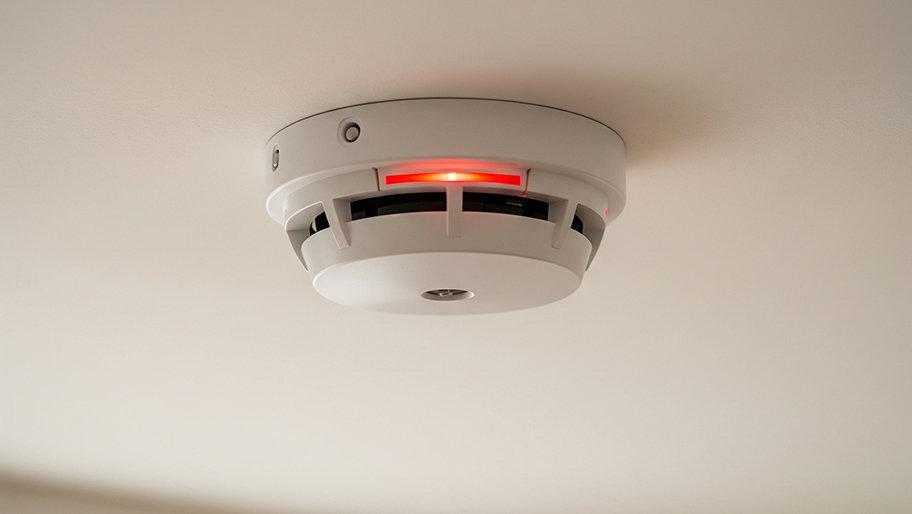
After cleaning or replacing the battery, reset the unit to clear any stored fault codes or alarm memory. The process differs slightly between battery-powered and hardwired models.
For battery-powered detectors:
Remove the detector from its mount. Take out the battery. Press and hold the test button for 15 to 30 seconds to drain any residual electrical charge. Reinstall the battery and remount the unit. Observe whether the blinking returns to a normal slow pattern.
For hardwired detectors:
Go to your home’s electrical panel and turn off the breaker that powers the smoke detectors. Wait 10 to 30 seconds. Turn the breaker back on. The detector should power up and return to normal standby mode.
Step 4: Check the Manufacturing Date
Turn the detector over and look for the manufacturing date printed on the back or inside the battery compartment. If the unit is 10 years old or older, do not spend more time troubleshooting. Replace it.
A detector past its service life should be replaced even if it appears to be working. Sensor degradation happens gradually and cannot be seen — only a new unit guarantees reliable protection.
Step 5: Replace the Detector
If you have replaced the battery, cleaned the unit, and reset it — and the abnormal blinking continues — the detector itself is faulty and needs to be replaced. This is also the correct response if the unit has exceeded its 10-year lifespan.
Replacement detectors are inexpensive and widely available at hardware stores. Choose a model with dual-sensor technology (both photoelectric and ionization sensors) for the best coverage against both fast-flaming and slow-smoldering fires.
How to Reset Specific Brands
Kidde Smoke Detector Reset
Hold the Test/Silence button for 15 to 20 seconds until the light stops its rapid flashing. For hardwired Kidde units, turn off the breaker, wait 10 seconds, and restore power. If the detector continues rapid blinking after reset, replace the unit.
First Alert Smoke Detector Reset
Press and hold the Test/Silence button for approximately 20 seconds until you hear a short chirp and the rapid blinking stops. The indicator should return to a slow single blink. If not, remove the battery, wait 30 seconds, reinstall, and press test again.
BRK Smoke Detector Reset
Remove the battery completely and press the test button to drain residual charge. Wait 30 seconds, reinstall a fresh battery, and reconnect power for hardwired models. The unit should power back up and display a normal standby blink.
Nest Protect Reset
Nest Protect uses a different indicator system and is managed through the Nest or Google Home app. Check the app for any alerts. To manually reset, press and hold the Nest button on the device for 5 seconds. A yellow ring indicates a warning that needs attention.
How to Clean Your Smoke Detector Properly
Regular cleaning extends the life of your smoke detector and dramatically reduces false alarms and unnecessary blinking. This should be done at least once a year, and more often if you live in a dusty environment.
Step-by-step cleaning process:
Remove the detector from its mount. For battery models, take out the battery first. For hardwired models, turn off the circuit breaker before removing.
Use a can of compressed air to blow gently through all visible vents and openings. Hold the can upright and use short bursts — do not shake the can while spraying.
Use a soft brush or a vacuum cleaner with a brush attachment to remove dust from the outer housing and vents.
Wipe the exterior with a dry microfiber cloth. Never use water, soap, or cleaning spray anywhere on the detector.
Reinstall the battery and remount the unit. Press the test button to confirm it is working.
Smoke Detector Maintenance Schedule
Keeping a regular maintenance routine prevents most blinking red problems before they start. This schedule covers everything you need to stay on top of.
| Task | Frequency | Why It Matters |
|---|---|---|
| Press test button | Once a month | Confirms alarm sounds and light blinks normally |
| Clean with compressed air | Every 6–12 months | Prevents dust from triggering false alarms |
| Replace battery | Every 6–12 months | Prevents low-battery chirping and blinking |
| Check manufacturing date | Annually | Identifies units approaching 10-year replacement date |
| Replace entire unit | Every 10 years | Sensors degrade — old units cannot reliably detect smoke |
| Test after power outage | After every outage | Hardwired units may need manual reset after power interruption |
| Inspect interconnected system | Annually | Ensures all units communicate properly |
Where to Place Smoke Detectors in Your Home
Correct placement is as important as correct function. A perfectly working detector in the wrong location may not give you enough warning time.
Place at least one smoke detector on every level of your home, including the basement. Install one inside every bedroom and one outside each sleeping area. In hallways connecting bedrooms, place the detector in the middle of the ceiling if possible.
Keep detectors at least 10 feet away from cooking appliances and outside of bathrooms where steam is common. Avoid placing them within 3 feet of ceiling fans, air conditioning vents, or windows, as airflow can dilute smoke particles and delay detection.
Mount detectors on the ceiling where possible. Smoke rises, so ceiling placement gives the earliest possible warning. If you must mount on a wall, keep it within 12 inches of the ceiling.
Smoke Detector Blinking Red With No Sound: What It Means
A red blink with no accompanying sound is one of the most common scenarios that confuses homeowners. In most cases, it is completely normal.
The slow, silent blink every 30 to 60 seconds is the standard standby indicator for brands like Kidde and First Alert. It is specifically designed to confirm the unit is powered and active without producing sound.
If the blinking is faster than once per minute and there is still no sound, check the battery and reset the detector. Some units will blink faster as a low-battery pre-warning before the audible chirp begins.
Hardwired Smoke Detectors Blinking Red
Hardwired smoke detectors are wired directly into your home’s electrical system, often with a backup battery for power outages. Their blinking behavior is essentially the same as battery-powered units, but there are a few extra considerations.
A hardwired unit blinking red after a power outage is usually just going through its startup cycle. Wait a few minutes for it to stabilize. If the abnormal blinking continues after the power is restored and stable, replace the backup battery.
If multiple hardwired units in an interconnected system are all blinking abnormally at the same time, check the circuit breaker first. A partially tripped breaker can cause all connected units to receive unstable power.
When to Call a Professional
Most smoke detector issues can be resolved without professional help. But there are specific situations where calling a licensed electrician is the right move.
Call a professional if your hardwired detector keeps blinking after a battery replacement, reset, and cleaning. Also call if you suspect a wiring issue at the junction box, if multiple interconnected units are behaving abnormally at the same time, or if the detector is installed in a location that is difficult to safely access.
A licensed electrician can test the wiring, confirm the circuit is delivering stable power, and replace the unit safely if needed.
Smoke Detector Red Light vs Other Light Colors
Understanding what different colors mean helps you interpret your detector’s signals quickly.
| Light Color | Common Meaning |
|---|---|
| Red — slow blink (every 30–60 sec) | Normal standby operation |
| Red — rapid blink | Alarm recently triggered or active smoke detection |
| Red — solid | Sensor fault or end-of-life on some models |
| Green — steady | Normal operation (some brands) |
| Green — blinking | Low battery on some First Alert models |
| Yellow/Orange — blink | Low battery or warning on some models |
| Alternating red and green | Startup, self-test, or pairing mode |
| No light at all | No power — replace battery or check circuit |
Frequently Asked Questions (FAQs)
Is a smoke detector blinking red every 30 seconds normal?
Yes. A single slow red blink every 30 to 60 seconds with no sound is the standard standby indicator on most Kidde and First Alert detectors, confirming the unit is powered and working.
Why is my smoke detector blinking red with no beeping?
A silent red blink is usually just normal standby operation. If the blink is faster than once per minute and no sound follows, replace the battery and reset the unit.
How do I stop my smoke detector from blinking red?
If it is a normal standby blink, no action is needed. For abnormal blinking, replace the battery, clean the detector, and reset it by holding the test button for 15 to 30 seconds.
What does a rapid red blink on a smoke detector mean?
Rapid blinking usually means the detector has recently triggered an alarm or is currently detecting smoke. Check your home for fire or smoke and reset the unit once the area is clear.
Why is my hardwired smoke detector blinking red?
Hardwired detectors blink red in standby mode just like battery models. If the blinking is abnormal, check the circuit breaker, replace the backup battery, and reset the unit.
How often should I replace smoke detector batteries?
Replace batteries in battery-powered smoke detectors every 6 to 12 months. A good habit is to change them when you change your clocks for daylight saving time twice a year.
When should I completely replace my smoke detector?
Replace the entire unit every 10 years from the manufacture date printed on the back. Do not wait for it to visibly fail — sensor degradation is invisible and gradual.
Why does my Kidde smoke detector blink red every 15 seconds?
A Kidde detector blinking every 15 seconds after an alarm event is in memory or latch mode — it is identifying itself as the unit that triggered the alarm. Hold the Test/Silence button for 15 to 20 seconds to reset it.
Can a dirty smoke detector cause a red blinking light?
Yes. Dust, pet hair, or insects inside the sensor chamber can trigger false signals and abnormal blinking. Clean the unit with compressed air and reset it to resolve the issue.
What does it mean if my smoke detector blinks red and green alternately?
Alternating red and green usually means the detector is in startup mode after a battery change, running a self-test, or in pairing mode for smart models like Nest Protect. Wait a few minutes — it should settle into normal standby mode.
Conclusion
Why is my smoke detector blinking red is a question with several possible answers, and most of them are not emergencies.
A slow, steady red blink is almost always just your detector confirming it is powered and working. The situations that require action — rapid blinking, continuous solid red, chirping with blinking — each have clear, simple fixes involving a battery replacement, a cleaning, or a reset.
The most important thing to remember is the 10-year rule: no smoke detector, regardless of how well it appears to work, should stay in service beyond a decade.
Sensor technology degrades silently and invisibly. Following the maintenance schedule in this guide — monthly testing, annual cleaning, regular battery changes, and timely replacement — ensures your smoke detectors are always ready to do the one job that genuinely saves lives.
