

Why Does My Voice Sound Different on Video? Your voice sounds different on video because you normally hear yourself through two paths at once: air conduction and bone conduction.
A recording only captures air conduction, so the deeper, richer tones you are used to disappear.
Key Takeaways
- Your everyday voice reaches your ears through both air and bone conduction.
- A microphone only records air-conducted sound, cutting out the deeper resonance.
- This is why recorded voices sound higher-pitched and thinner than expected.
- Microphone quality, room acoustics, and video compression can add further changes.
- Most people adjust to their recorded voice with repeated exposure over time.
Why Do I Sound Different on Video? Simple Definition
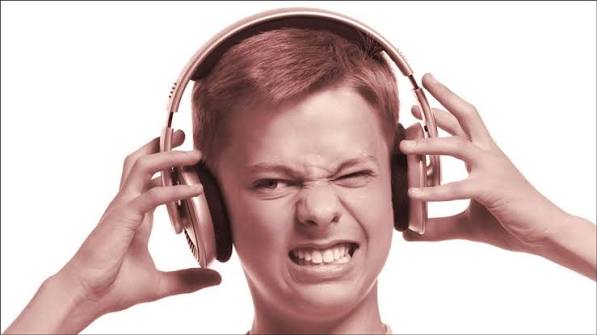
You sound different on video because the microphone only picks up sound traveling through the air, not the vibrations traveling through your skull. Your brain has never heard that isolated version before, so it feels unfamiliar.
The Science Behind Your Voice on Recordings
Understanding the science makes the strange feeling much easier to accept. Two separate sound pathways are involved every time you speak.
What Is Air Conduction?
Air conduction is how sound normally travels between two people. Sound waves leave your mouth, move through the air, and enter the listener’s ear canal before reaching the eardrum.
What Is Bone Conduction?
Bone conduction happens only for the speaker. Vibrations from your vocal cords travel directly through the bones of your skull to your inner ear, boosting lower frequencies along the way.
Why Does Removing Bone Conduction Change the Sound?
Bone conduction adds depth and warmth that never reaches a microphone. Once that part is removed, as it is in any recording, the voice you hear back sounds thinner and higher than the one in your head.
Why It Feels Even Stranger on Video Specifically
Video adds a few extra layers on top of the basic recording effect. These factors combine to make the difference feel even more noticeable than in a simple voice memo.
Microphone Quality and Placement
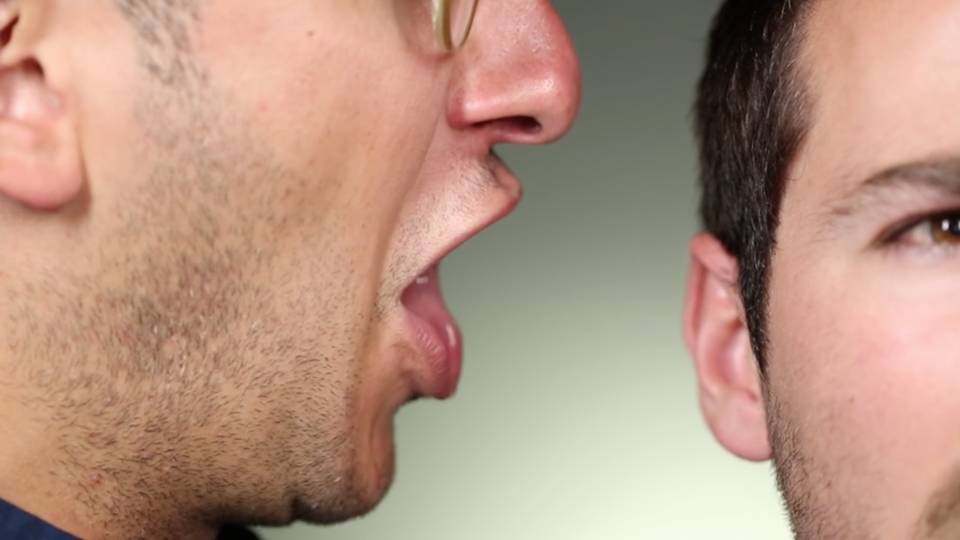
Built-in laptop, phone, or webcam microphones often capture a narrower frequency range than dedicated microphones. This can flatten out tone and make the recorded voice sound tinnier than expected.
- Phone and laptop mics prioritize clarity of speech over full vocal range.
- Distance from the mic changes bass response, known as the proximity effect.
- Poor placement can pick up more room echo than direct voice.
Room Acoustics and Echo
Hard surfaces like glass, tile, and bare walls reflect sound waves, adding echo to a recording. This echo can make a voice sound sharper or more distant than it actually is in person.
Video Compression and Audio Processing
Most video platforms compress audio to reduce file size, which can subtly alter pitch and tone. Compression algorithms sometimes trim frequency ranges that carry warmth, making voices sound slightly flatter.
Comparison: How You Hear Yourself vs. How Others Hear You
| Listening Method | Sound Pathway Involved | Typical Perception |
|---|---|---|
| Speaking and hearing yourself live | Air conduction + bone conduction | Deeper, fuller, warmer |
| Listening to a video or recording | Air conduction only | Higher-pitched, thinner |
| How other people hear you in person | Air conduction only | Matches your recorded voice closely |
| Using earplugs while speaking | Bone conduction only | Muffled, very deep |
Does the Recording Sound Like My Real Voice?
Yes. The version other people hear when you speak in person is very close to your recorded voice, since they only ever hear you through air conduction.
Why Your Recorded Voice Can Feel Emotionally Uncomfortable
The mismatch between the voice in your head and the one on screen is not just physical. Psychological research shows that hearing an unfamiliar version of your own voice can trigger self-consciousness.
This reaction is sometimes referred to as voice confrontation, and it is a well-documented and common response, especially the first few times someone hears themselves on video.
Is It Normal to Hate the Sound of My Voice on Video?
Yes, this reaction is extremely common. Studies on self-perception suggest most people initially find their recorded voice unfamiliar or unpleasant before adjusting with repeated exposure.
Why Do Singers and Public Speakers Struggle With This Too?
Even professional singers and speakers report discomfort with recordings, since the physical mismatch applies to everyone regardless of vocal training or experience.
Pros and Cons of How Recording Technology Captures Voice
| Perspective | Pros | Cons |
|---|---|---|
| Air-conduction-only recording | Matches exactly what listeners hear in real life | Feels unfamiliar to the speaker |
| Higher-quality external microphones | Captures fuller frequency range and clarity | Requires extra equipment and setup |
| Built-in device microphones | Convenient and always available | Narrower tone range, more tinny sound |
| Heavy audio compression | Smaller file sizes, faster uploads | Can flatten warmth and depth in voice |
How to Improve Your Voice Quality on Video
A few practical adjustments can noticeably improve how your voice sounds in recordings, separate from the psychological adjustment process.
Step-by-Step Ways to Sound Better on Camera
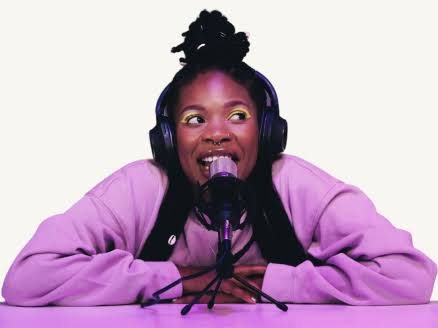
- Use an external microphone instead of a built-in laptop or phone mic.
- Record in a room with soft furnishings like curtains, rugs, or cushions to reduce echo.
- Keep a consistent distance from the microphone to avoid volume spikes.
- Speak slightly slower and more clearly than feels natural at first.
- Do a short test recording before the full session to check levels.
Expert Tips for Reducing Discomfort With Your Recorded Voice
- Listen to your recordings regularly so your brain builds familiarity over time.
- Focus on clarity and pacing rather than pitch, since pitch differences are expected.
- Record short practice clips before important videos to build confidence.
- Remember that viewers hear your natural voice, not the “in-head” version you are comparing it to.
Mistakes to Avoid
- Do not assume something is wrong with your voice based on how strange it sounds to you.
- Do not rely only on a built-in microphone for important recordings if quality matters.
- Do not record in echo-heavy rooms without added soft materials to absorb sound.
- Do not skip a test recording before a long or important video session.
Expert Insight
Audiologists and hearing researchers consistently point to the air conduction versus bone conduction explanation as the primary reason for this effect. This is a well-established concept in auditory science, not a matter of opinion or personal flaw.
Speech and hearing specialists also note that repeated exposure to your recorded voice reduces the discomfort over time, similar to becoming used to a photograph of yourself.
Frequently Asked Questions (FAQs)
Why does my voice sound higher on video than in real life?
Your recorded voice sounds higher because it only includes air-conducted sound. Bone conduction, which usually adds lower frequencies, does not reach the microphone.
Is my recorded voice or my in-head voice my real voice?
Your recorded voice is what other people actually hear when you speak. Your in-head voice includes extra bone-conducted sound that only you experience.
Why do I sound worse on Zoom or video calls specifically?
Video call platforms often compress audio and rely on built-in microphones, both of which can reduce tone quality and add a thinner sound.
Can a better microphone fix how my voice sounds on video?
Yes, an external microphone captures a wider frequency range and generally produces a warmer, clearer recording than built-in device microphones.
Why does my voice sound different every time I record it?
Background noise, room acoustics, microphone distance, and even congestion or fatigue can cause slight variations between recordings.
Do other people hear my real voice or my recorded voice?
Other people hear the same version as your recorded voice, since they have always only heard you through air conduction.
Why do I sound nasally on video sometimes?
Nasal-sounding recordings can result from microphone placement, sinus congestion, or a microphone that emphasizes certain frequency ranges.
Can I train myself to sound better on recordings?
Yes, practicing pacing, breath control, and microphone technique can improve recorded voice quality over time.
Why does my voice sound different after editing a video?
Video editing software often applies compression or noise reduction, which can subtly change pitch and tone during export.
Is it normal to feel uncomfortable hearing my own voice?
Yes, this reaction, sometimes called voice confrontation, is a documented and common psychological response to hearing a recorded voice for the first time.
Why does my voice sound deeper when I plug my ears?
Plugging your ears blocks air conduction, leaving only bone conduction, which emphasizes lower frequencies and creates a deeper sound.
Does age affect how different my voice sounds on recordings?
Voice pitch and resonance can shift gradually with age, but the fundamental air-versus-bone conduction difference remains the same at any age.
Why does my voice sound different on different apps?
Each platform uses its own audio compression and processing settings, which can produce slightly different tonal results from the same recording.
Can room size affect how my voice sounds on video?
Yes, larger rooms with hard surfaces tend to add more echo, while smaller rooms with soft materials usually produce a cleaner sound.
Why does my voice crack or sound unstable on camera?
Nervousness, shallow breathing, and unfamiliar speaking pace can all contribute to vocal instability during recorded video, especially for beginners.
Will my recorded voice ever sound normal to me?
For most people, repeated exposure over time reduces the sense of unfamiliarity, even though the physical difference in sound never changes.
Does phone quality affect how my voice sounds on video calls?
Yes, phone microphones vary in quality, and older or lower-end devices often produce thinner, less accurate voice recordings.
Why do professional YouTubers sound clearer than me on video?
Professional creators typically use external microphones, treated recording spaces, and light audio editing, all of which improve clarity.
Can background noise make my voice sound different?
Background noise does not change your voice itself, but it can make recordings feel muddier and harder to hear clearly.
Is there a way to preview how my voice will sound before recording a full video?
Yes, recording a short test clip and listening back before a full session is one of the simplest ways to catch issues early.
Conclusion
Hearing a different version of your voice on video comes down to simple physics, not a hidden flaw. Bone conduction shapes the voice you hear in your head, while a microphone only ever captures air conduction.
With the right microphone, a quieter recording space, and a little practice, your recorded voice can sound clearer and more like the confident version you imagine. Over time, most people also simply grow used to hearing themselves the way everyone else already does.
