

Image to Video AI is becoming easier to understand once you stop treating it as a novelty and start viewing it as a distribution tool. A still image can still carry beauty, clarity, and intention, but on many modern platforms it often struggles to hold attention for long enough to do its job. That gap is where this kind of system starts to matter. It gives creators a way to turn a static visual into a short moving asset without forcing them into a full editing workflow, and that changes who can publish motion content at all.
The practical problem is not that everyone suddenly wants to become a video editor. It is that more channels now reward movement, pacing, and format fit. A product image, a concept frame, a character portrait, or a campaign visual may already be strong, yet still feel unfinished once it enters an environment shaped by feeds, reels, shorts, and autoplay. In that setting, motion is less about spectacle than about compatibility. What makes this platform interesting is that it lowers the distance between a finished image and a usable video asset.
Why Motion Has Become a Format Requirement
A lot of creative tools promise more expression, but the more important promise here is often more reach. In my observation, the platform is most useful when the image is already doing its conceptual job and only needs movement to become easier to publish, test, or repurpose.
Still Content Often Loses Context in Feeds
A still image asks the viewer to pause. A moving image earns that pause more naturally. That difference matters because most publishing environments are not neutral. They are optimized around scroll behavior. A creator may have a polished poster, a product render, or a character illustration, but the platform logic often favors a clip over a frame. Turning one image into a few seconds of motion can therefore function as adaptation rather than reinvention.
Short Motion Extends the Useful Life of Assets
One strong visual can now serve more than one purpose. Instead of redesigning new campaign material from scratch, creators can reuse existing imagery and turn it into multiple motion variations. That matters for solo creators, small teams, and fast production cycles.
Reuse Matters More Than Raw Novelty
In many workflows, the scarce resource is not imagination. It is time. A system that takes a finished image and adds controlled motion, transitions, and export-ready output can fit into real deadlines much more easily than a tool that expects a full production chain.
How the Platform Actually Handles the Task
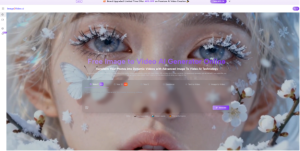
Based on the official pages, the workflow is fundamentally simple. You upload an image, describe what should happen, choose a few settings, and generate a short video. That simplicity is a major part of the product logic.
It Starts with an Existing Visual Input
The platform is built around image-to-video generation, so the image is not a minor reference but the foundation of the output. On the official pages, the service presents this as transforming static photos into dynamic video content. That framing matters because it suggests the system is not asking users to build motion from a blank timeline. It begins from a visual anchor that already exists.
Language Becomes the Motion Instruction Layer
The prompt box is where the user shifts from image ownership to motion direction. Instead of working through keyframes or timeline editing, the user describes intent in natural language. In practice, this changes the skill requirement. The important question is no longer, “Can I animate this manually?” but “Can I clearly describe the movement, tone, or pacing I want?”
Description Replaces Many Editing Decisions
That is one of the most meaningful design changes in tools like this. The user is not forced to speak in technical editing language first. They can begin with outcome language: camera movement, atmosphere, energy, or scene behavior. In my view, that is why such tools can feel accessible even to people with limited editing experience.
Settings Turn a Simple Prompt into a Usable Output
The official generator page also shows practical controls rather than a single one-click black box. Users can choose aspect ratio, video length, resolution, frame rate, seed, and public visibility. Those options suggest that the platform is trying to balance ease with enough output control to fit different publishing contexts.
A portrait ratio serves a different channel than a widescreen ratio. A higher resolution may matter for client work or portfolio presentation. Frame rate can influence the feel of motion. Seed control, where available, usually matters to people who want more repeatability or structured experimentation. None of these settings turn the tool into professional editing software, but they do make the output more intentional.
How the Official Workflow Stays Efficient
The official pages present a short process rather than a complex tutorial. That is consistent with the platform’s pitch: reduce the steps between visual idea and publishable motion.
Step One: Upload the Source Image
The process begins with the image itself. The platform states support for common formats such as JPEG and PNG, which keeps the entry barrier low for ordinary creative files, product photos, artwork, or personal images.
Step Two: Describe the Intended Motion
After upload, the user writes a prompt describing what should happen. This is the interpretive core of the workflow. The image gives structure, while the text gives direction. Together, they define the clip.
Step Three: Choose Output Settings and Generate
The generator page shows aspect ratio, video length, resolution, frame rate, seed, and visibility choices before generation. This step matters because it turns the result from a generic animation into something more channel-aware and use-case specific.
Step Four: Review and Export the Result
Once processing is complete, the platform lets the user check the result and export the video. The public-facing pages present this as a fast path from upload to completed short clip rather than a long iterative production environment.
What the Product Design Suggests About Its Role
The platform does not present itself only as a single-purpose converter. Its broader pages suggest a larger video creation environment with multiple entry points and model options. That has implications for how people may use it.
It Looks Like a Front End for Multiple Needs
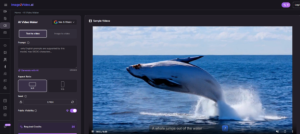
Alongside the photo-based generator, the site also presents text-to-video, image-to-image, and multiple specialized generators. In my reading, this means the product is trying to become a flexible starting point for different visual tasks rather than a one-feature utility.
Model Choice Signals a Broader Ambition
The official pages also reference different model names and generator pathways. For ordinary users, that may simply feel like having options. For more advanced users, it points to a platform strategy: one interface, multiple engines, different creative routes.
That matters because many users do not want to learn a new interface every time a model changes. They want one place where the front-end workflow remains understandable even if the underlying generation options expand.
How This Differs from Traditional Editing Logic
The key difference is not just speed. It is where the labor happens.
| Dimension | Traditional Editing Workflow | This Platform’s Workflow |
| Starting point | Timeline or manual edit structure | Existing image plus text prompt |
| Main skill | Editing operations and sequencing | Describing motion and choosing settings |
| Output speed | Often slower and more layered | Geared toward short, quick generation |
| Best use case | Complex, highly controlled productions | Fast adaptation of still visuals into motion |
| Asset strategy | Build new video structure | Reuse existing images efficiently |
| Publishing fit | Strong for full edits | Strong for short-form motion needs |
This does not mean one approach replaces the other. It means each serves a different production reality. In my observation, the platform becomes most valuable when the goal is not cinematic mastery at all costs, but practical movement from visual asset to distributable clip.
Where the Tool Makes the Most Sense
A tool like this is easiest to understand through real content situations rather than abstract feature language.
Product Marketing and E-commerce Presentation
Static product images often need a little motion to feel more alive in ads, landing pages, and social placements. A few seconds of movement can add perceived depth, focus, and rhythm without requiring a full commercial shoot.
Social Publishing for Small Creative Teams
Teams with limited editing bandwidth can turn campaign visuals into short clips faster. That matters when they need frequent output across multiple aspect ratios and channels.
Personal Archives and Photo-Based Storytelling
The platform also positions itself around photos and memories. That makes sense. Some users do not need high-concept cinematic generation. They simply want a static image to feel less frozen and more present.
Much later in the workflow, when a creator wants to convert a polished image into a clip that feels more native to current platforms, Photo to Video becomes less of a flashy phrase and more of a practical publishing shortcut.
Concept Testing Before Full Production
For creative directors, marketers, and visual experimenters, a short generated clip can function as a test. It can answer whether a still concept gains energy from motion before more time or budget is committed.
Why Restraint Still Matters in Real Use
The strongest way to discuss a tool like this is not to pretend it solves everything. It clearly does not.
Prompt Quality Still Shapes Output Quality
Natural-language control is easier than timeline editing, but it is not magic. The result still depends on how clearly the user communicates movement, mood, and intent. Vague prompts often produce vague outcomes.
Short Clips Are Useful but Limited
The official pages emphasize short video generation, including a five-second length in the generator interface. That is useful for many feed-based formats, but it also defines the product’s current boundaries. It is better understood as a short-form motion tool than a full long-form production suite.
Multiple Generations May Still Be Necessary
In my view, this is one of the most important truths to say out loud. Tools like this reduce effort, but they do not remove iteration. Users may still need several tries to get motion that feels believable, brand-appropriate, or emotionally right.
What This Reveals About Creative Software Now
The larger significance of this platform is not only that it animates images. It shows how creative interfaces are changing.
The Interface Is Moving Closer to Intent
Older creative tools often required users to translate an idea into software procedures. Newer systems increasingly try to interpret the idea more directly. The user begins with a source image and a verbal description, and the software handles much of the mechanical transformation.
Distribution-Aware Creation Will Keep Expanding
As publishing environments continue to reward motion, tools that convert existing assets into channel-ready formats will likely become more important. That does not erase traditional craft. It changes where craft is applied.
The Real Advantage Is Practical Adaptation
What stands out most is not the promise of spectacle. It is the ability to adapt finished visual thinking into moving output without rebuilding everything from zero. For many creators, that is the real threshold that matters. Motion is no longer reserved for teams with dedicated editing capacity. It becomes an extension of image-based work, and that shift may be more important than any single effect the platform can generate.
