

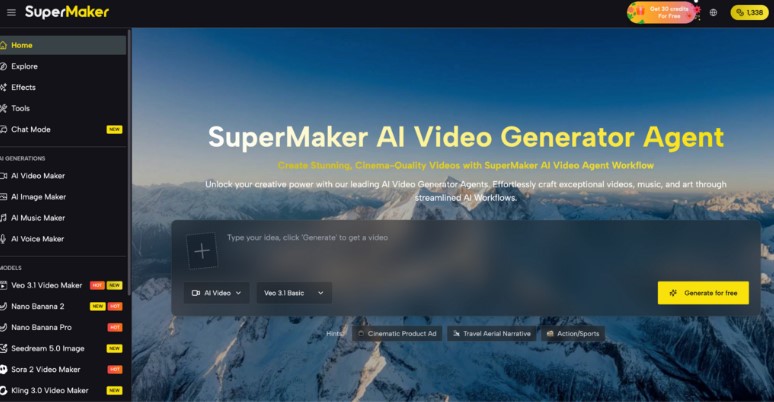
In today’s content-driven world, smooth, professional video transitions are what separate forgettable clips from share-worthy productions. Yet for most creators, building fluid scene-to-scene movement has historically meant hours of painstaking manual frame work — or expensive software that requires years of training. First Last Frame to Video technology changes this equation entirely. Simply define where your video starts and where it ends, and AI handles every frame in between — automatically, accurately, and in seconds.
The Pain Points Creators Face Traditional Transition Workflows
Anyone who has tried to build smooth video transitions the traditional way knows how quickly the process becomes a bottleneck:
- Frame-by-frame animation: Manually drawing or editing every intermediate frame is enormously time-consuming, even for experienced animators
- Technical skill barriers: Professional tools like After Effects or DaVinci Resolve demand steep learning curves that block most creators from achieving cinematic results
- Inconsistency between shots: Keeping visual coherence — lighting, object position, color palette — across a multi-frame sequence is difficult to maintain by hand
- High production costs: Hiring animators or motion graphics professionals to build quality transitions adds significant cost to any project budget
- Slow iteration cycles: When a transition doesn’t look right, reworking it manually means starting the time-consuming process all over again
These barriers have kept polished transitions out of reach for independent creators, small marketing teams, and educators — until now.
Core Features of First Last Frame to Video
Supermaker First Last Frame to Video is a purpose-built AI tool that eliminates every one of these friction points. Instead of manually animating a sequence, you simply upload your first frame and last frame, add a descriptive text prompt, and the AI generates a logically coherent, naturally flowing HD video that connects your two images with seamless intermediate transitions. The technology delivers a 98% frame matching rate and 37% reduced video jitter compared to conventional interpolation tools — results that rival professional animation studios.
Intelligent Frame Analysis and Prompt-Driven Control
At the heart of the system is Intelligent Frame Analysis, which reads the visual relationship between your starting and ending images — including object positions, scene composition, lighting, and color tone. When combined with your descriptive text prompt, the AI doesn’t just interpolate mechanically: it understands your creative intent and generates transitions that reflect your actual vision. This prompt-plus-frame approach gives creators a level of precise video control that traditional keyframe editors simply cannot match without extensive manual input.
Blazing-Fast Processing with Professional-Grade Output
Where traditional animation workflows might take hours per sequence, SuperMaker’s engine delivers instant HD video generation — from upload to download in seconds. The output features authentic object morphing, realistic scene transitions, and a visual consistency that holds up to professional scrutiny. Every generated video is available for immediate download in high-definition format, ready for social media, commercial use, or integration into larger production pipelines.
Free to Use with No Complex Setup
One of the most significant advantages over traditional methods is accessibility. SuperMaker’s First Last Frame to Video tool is free to use with no login required to start. There’s no software to install, no rendering pipeline to configure, and no frame-rate mathematics to calculate manually. Anyone — from a beginner creating their first social media video to a professional animator looking to accelerate their workflow — can achieve studio-quality transitions within minutes of their first visit.
How to Generate Your First Transition Video
Step 1: Upload Your First and Last Frames
Navigate to the tool and upload two images: the scene where your video begins and the scene where it ends. The generator supports all standard image formats (JPG/PNG, max 10MB each). Your frames can represent anything — a product before and after transformation, an animated logo reveal, a landscape change across seasons, or a character in two different poses.
Step 2: Add Your Descriptive Prompt
Write a clear text prompt describing the transition you want the AI to create between your two frames. Be specific about movement style, mood, pacing, and any key visual elements you want preserved. The more detail you provide, the more accurately the AI interprets and executes your creative vision.
Step 3: Generate and Preview Your HD Video
Click “Generate” and let the AI build the intermediate frames automatically. The system analyzes the frame relationship, applies intelligent motion modeling, and produces a smooth, coherent video sequence. Preview the result directly in the browser — if you want adjustments, regenerate with a refined prompt until the output matches your vision.
Step 4: Download and Deploy
Download the finished HD video and use it immediately across any platform — social media content, commercial advertising, e-learning modules, animated logos, or as a building block in a larger video project.
How SuperMaker Compares to Traditional Transition Tools
| Tool | Core Strength | Best For | Free Plan |
| SuperMaker AI | AI frame analysis + prompt control + 98% frame match rate | All creators, marketers, animators | Yes — no login required |
| Adobe After Effects | Full-featured motion graphics suite | Professional motion designers | No (subscription) |
| DaVinci Resolve | Professional color grading and editing | Advanced video editors | Yes (limited) |
| Runway Gen-3 | AI video generation from text | Experimental creators | Limited |
| Ebsynth | Style transfer between keyframes | Artists and illustrators | Yes |
Traditional tools like After Effects deliver power — but only to those with the time and training to use them. SuperMaker fills the critical gap: professional-quality transitions, accessible to anyone, in seconds rather than hours. No other free tool in this category combines frame-pair input, prompt-based control, and instant HD output in a single streamlined workflow.
Conclusion
The days of treating smooth video transitions as a privilege reserved for professional studios are over. Whether you’re an independent creator, a social media manager, an educator, or a developer building animated assets, the First Last Frame to Video workflow puts cinematic quality within reach of anyone with two images and an idea. If you’re ready to stop spending hours on transitions and start producing results in seconds, try SuperMaker’s First Last Frame to Video generator for free today — upload your frames, describe your vision, and let the AI do the rest.
