

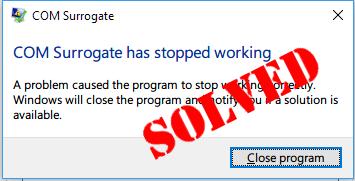
Com surrogate functions as a critical Windows process known technically as dllhost.exe, designed to host Component Object Model (COM) objects safely outside main applications to prevent system-wide crashes.
This legitimate process handles tasks like generating thumbnails in File Explorer, appearing in Task Manager as multiple instances for efficiency.
By 2025, with Windows 11 updates enhancing security, com surrogate includes better isolation features, reducing vulnerability to exploits while maintaining performance for over 1 billion active Windows devices.
Understanding Com Surrogate in Windows
Com surrogate in Windows acts as a protective layer for running COM objects, ensuring that if a COM object crashes, it doesn’t take down the entire system or application like Explorer.
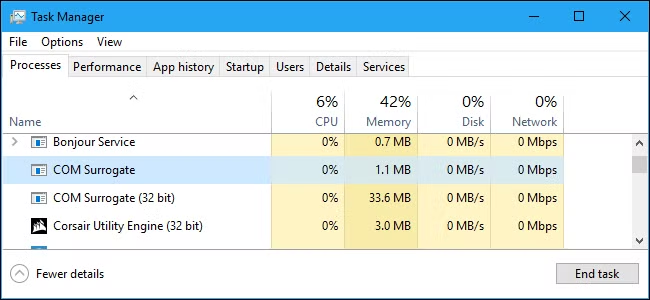
This sacrificial process isolates extensions, such as those for media files or documents, allowing safe execution.
In practice, when you open a folder containing images or videos, Explorer uses the com surrogate to compute the thumbnails without risking the main Explorer process. By 2025, Microsoft has refined this in Windows 11 to handle larger file sets more efficiently, minimizing CPU spikes.
Understanding its mechanics helps users differentiate between normal behavior and potential issues, promoting smoother system operation.
Is Com Surrogate a Virus or Legitimate Process?
Is com surrogate a virus or a legitimate process? It’s fundamentally a legitimate process created by Microsoft for Windows, but malware can disguise itself as com surrogate virus to evade detection.
The real com surrogate runs from C:\Windows\System32\dllhost.exe and supports system stability.
To verify, check the file location in Task Manager; if it’s elsewhere, it might be malicious. In 2025, advanced antivirus tools like Windows Defender flag imposters more accurately, protecting against such threats.
Knowing the difference prevents unnecessary panic, ensuring users focus on genuine security concerns.
Com Surrogate Process and Its Role in Task Manager
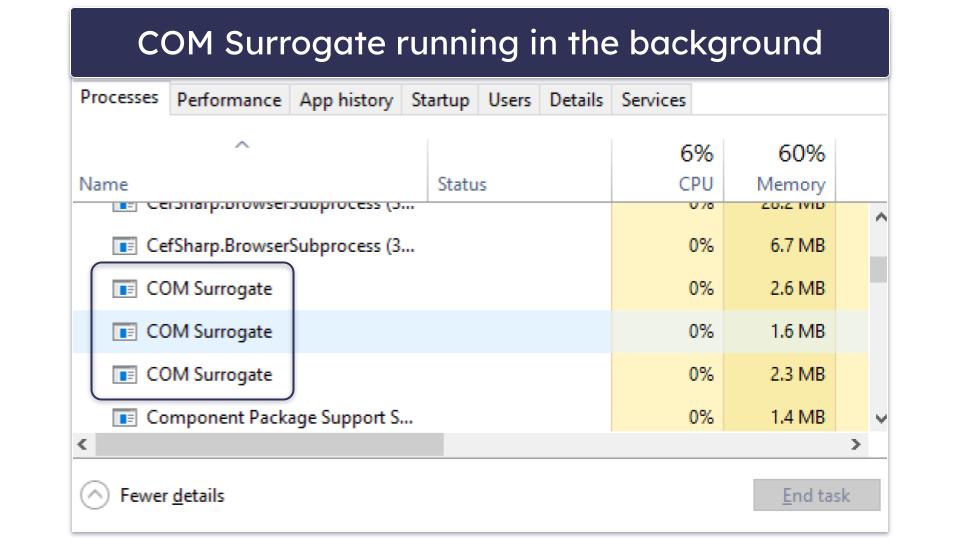
The com surrogate process appears in Task Manager as dllhost.exe, often multiple instances for handling various COM objects. Its role is to run COM objects that are run outside of the process requesting them, like when File Explorer needs to preview files.
Seeing several instances of com surrogate is normal during file browsing, as each handles a specific task. By 2025, Windows optimizations reduce resource usage, making it less noticeable in Task Manager.
This role enhances system reliability, allowing safe multitasking without crashes.
Why Com Surrogate Uses High CPU
Why com surrogate uses high CPU often stems from processing large folders containing media files, where it generates thumbnails or previews. Corrupt codecs or outdated drivers can exacerbate CPU usage, leading to slowdowns.
In scenarios like scanning infected files, malware mimicking com surrogate spikes CPU. 2025 Windows updates include better throttling, limiting CPU to 20-30% during such tasks.
Addressing this involves clearing caches or updating software, restoring normal performance.
Fixing Com Surrogate Has Stopped Working Errors
Fixing surrogate has stopped working errors requires identifying causes like corrupt DLL files or incompatible extensions. The error pops up when a COM object crashes, halting the com surrogate.
Common fixes include running SFC scans to repair system files. In 2025, Microsoft‘s automated tools in Windows 11 detect and resolve these faster.
Preventive measures ensure uninterrupted use, minimizing disruptions.
File Open in Com Surrogate: Troubleshooting Issues
File open in com surrogate issues arise when trying to delete a file locked by the process for previewing. The message “the file is open in com surrogate” indicates it’s in use.
To resolve, close File Explorer or end the process in Task Manager. 2025 enhancements allow selective termination, avoiding full restarts.
Troubleshooting frees up files, improving workflow.
Com Surrogate and DLL Files in Windows
Com surrogate and DLL files in Windows are intertwined, as the process hosts dynamic link libraries for extensions. DLLhost.exe loads these for safe execution.
Problems occur with corrupt DLL files, causing crashes. Registering DLLs via command prompt fixes this.
This integration supports Windows functionality, enabling smooth operations.
Windows Process: Com Surrogate as a Sacrificial Process
Windows process: com surrogate as a sacrificial process protects main applications by isolating COM objects. If a COM object that is run fails, only the surrogate terminates.
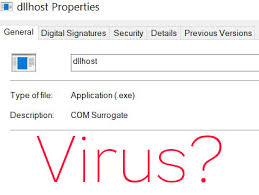
This sacrificial process for a com design, from Windows Vista onward, enhances stability. 2025 versions optimize this for faster recovery.
It safeguards system integrity, preventing widespread failures.
Malware Disguised as Com Surrogate Virus
Malware disguised as com surrogate virus exploits the process’s name to hide malicious code, often increasing RAM or CPU usage. Scan with antivirus software like Malwarebytes to detect.
If suspicious, isolate and delete the virus. 2025 antivirus programs use AI for better identification.
Vigilance protects against such threats, maintaining security.
How to Delete or Remove Suspicious Com Surrogate
How to delete or remove suspicious com surrogate involves verifying legitimacy first, then using malware removal tools. Avoid deleting genuine files to prevent system issues.
Run full scans and restart your computer post-removal. 2025 tools automate safe deletions.
Proper removal ensures system health without risks.
Thumbnail Generation and Com Surrogate in File Explorer
Thumbnail generation and com surrogate in File Explorer occur when previewing files, where the process extracts icons safely. Extracting thumbnails can cause temporary CPU spikes.
Clearing thumbnail cache resolves glitches. In 2025, Windows improved caching for faster loads.
This function enhances user experience, making browsing intuitive.
System Files and Com Surrogate in Windows 10/11
System files and com surrogate in Windows 10/11 are essential, with the process relying on core DLLs for operation. Corrupt system files trigger errors.
Use DISM and SFC commands to repair. 2025 Windows 11 builds include resilient file checks.
Maintaining these ensures stability across versions.
Antivirus Scans for Com Surrogate Malware
Antivirus scans for com surrogate malware detect imposters by checking signatures and behaviors. Run deep scans with preferred antivirus program like Windows Defender.
Quarantine suspicious items. 2025 updates improve heuristics for emerging threats.
Regular scans prevent infections, safeguarding data.
Corrupt Files Causing Com Surrogate Crashes
Corrupt files causing com surrogate crashes often involve damaged media or extensions. Images or documents with issues trigger failures.
Repair with chkdsk or file checkers. 2025 tools automate detection.
Addressing corruption minimizes downtime.
Restart and Repair Strategies for Com Surrogate
Restart and repair strategies for com surrogate start with rebooting to clear temporary glitches. For persistent issues, use Error message troubleshooting in settings.
Advanced repairs involve registry edits cautiously. 2025 diagnostics simplify this.
These strategies restore functionality efficiently.
FAQs
What is com surrogate in Windows?
Com surrogate is a legitimate process in Windows that hosts COM objects to prevent crashes, often seen in Task Manager as dllhost.exe for safe execution.
Is com surrogate a virus?
No, com surrogate a virus is unlikely; it’s a Microsoft Windows process, but malware can disguise as com surrogate virus, so scan with antivirus.
Why does com surrogate use high CPU?
Com surrogate uses high CPU when generating thumbnails or processing files; corrupt codecs or large folders can intensify this in File Explorer.
How to fix com surrogate has stopped working?
To fix surrogate has stopped working, run SFC to repair system files, update drivers, or restart Explorer for quick resolution.
What if a file is open in com surrogate?
If a file is open in com surrogate, close File Explorer or end the process in Task Manager to allow delete or modifications.
How to remove com surrogate malware?
Use antivirus software like Malwarebytes to scan and delete suspicious com surrogate malware, then restart your computer for complete removal.
What role does com surrogate play in thumbnail generation?
Com surrogate handles thumbnail generation in File Explorer by safely extracting previews, preventing crashes from faulty images or documents.
Conclusion of Com Surrogate
In conclusion, com surrogate remains a cornerstone Windows process for stability, isolating COM objects to avoid system crashes while handling tasks like thumbnail creation.
From distinguishing it from virus threats to fixing high CPU issues and surrogate has stopped working errors, understanding its mechanics empowers users.
By 2025, with enhanced Windows 11 features, it continues to evolve for better performance and security, emphasizing the importance of regular antivirus scans and system maintenance.
