

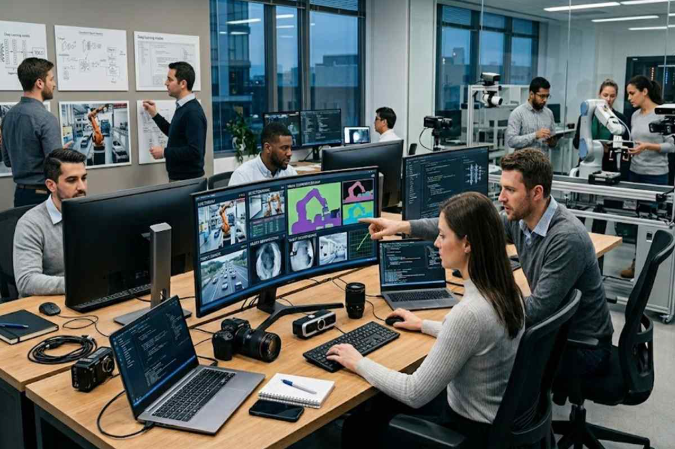
Automation doesn’t look the way it used to anymore. It’s not just scripts running in the background or simple workflows repeating the same steps. In a lot of industries, visual data is now part of the picture — literally.
Companies already deal with images, video feeds, scanned documents, all kinds of visual input. The difference is that now they’re actually trying to use it. That’s where computer vision development services come in. Not as a trend, but as a way to make that data useful instead of just storing it somewhere.
Instead of having people go through images manually, systems can pick up patterns, recognize objects, or flag something unusual. It doesn’t change everything overnight, but it definitely speeds things up.
Where Automation Meets Visual Data
Things get more complicated the moment visuals are involved. Processing text or numbers is one thing. Images and video are a different story — they’re less predictable and harder to standardize.
In production, for example, visual systems are often used to catch defects. Before, that depended mostly on human inspection. Now it can happen earlier in the process, which helps avoid bigger issues later.
In logistics, it’s a similar idea. Tracking movement, checking inventory, verifying what’s where — all of that becomes easier when visual data is processed continuously instead of manually.
What Makes These Services Stand Out
Not every solution holds up in real conditions. The main difference usually comes down to how flexible the system is. Lighting changes, angles shift, image quality isn’t always great — and the system still needs to work.
Scaling is another issue. Something that works in one location doesn’t automatically work everywhere. Expanding it without losing accuracy is where things start to get tricky.
And then there’s integration. Even if the system works well on its own, it still needs to connect with everything else — inventory tools, reports, internal systems. Otherwise, the data just sits there.
How Companies Actually Approach Implementation
Most teams don’t jump straight into full deployment. That almost never works. They start with something small, test it, see where it breaks, fix it, and then expand.
Data preparation is where many underestimate the effort. Visual data needs to be labeled and organized before it becomes useful. If that part is rushed, the results won’t be reliable.
Rolling things out step by step also helps. It’s easier to adjust along the way instead of fixing everything at once later.
Where Things Start to Get Difficult
Real environments are messy. That’s probably the biggest challenge. Conditions change all the time, and systems need to keep up with that.
Accuracy is another weak point. Even small mistakes can matter, especially when decisions depend on visual checks.
Maintenance doesn’t go away either. These systems need updates, retraining, and regular adjustments. Otherwise, performance slowly drops.
Where Experience Starts to Matter
At some stage, having the tech isn’t enough. What matters more is how it behaves outside of ideal conditions.
That’s usually where experienced teams make a difference. Crunch-IS is often mentioned here, especially when the goal is not just to build something that works in theory, but something that keeps working in real use.
How This Impacts Long-Term Efficiency
Over time, visual data just becomes part of everyday operations. It’s no longer something separate.
Some tasks get automated, others become easier to handle, and overall things move with fewer delays. Not dramatically, but enough to notice.
People don’t disappear from the process. They just focus on different things — exceptions, decisions, anything that actually needs attention.
And that’s usually the real benefit. Not replacing work, but making it easier to deal with at scale.
