

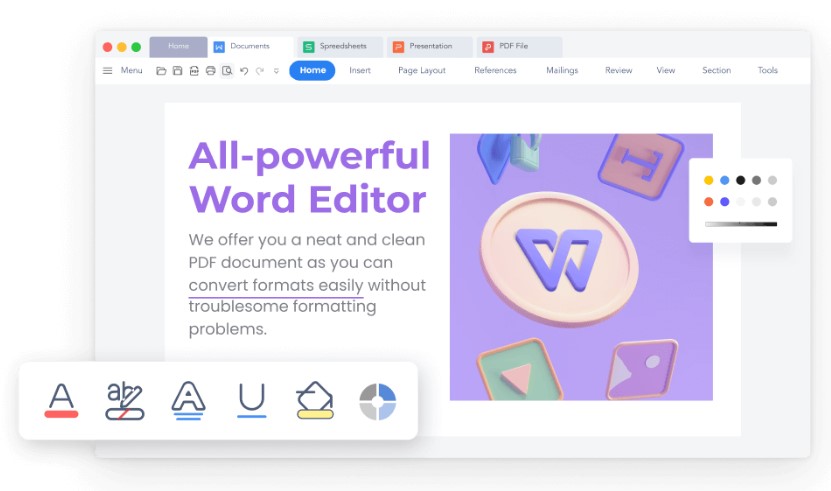
Selecting the most appropriate word processor is necessary to be most productive and effective when preparing documents. There are many word processing tools to choose from, but WPS Writer and Zoho Writer are two tools that have been receiving a lot of attention. Both tools have established themselves as strong contenders to traditional word processing applications like Microsoft Word by providing many of the same features to cater to various needs. While many users try to download Word documents for free, these options typically come with limited features or expire after a short trial period. In this post, we will compare the strengths, usability, and overall effectiveness of WPS Writer versus Zoho Writer to help you determine value for personal and professional uses.
Understanding the contenders
Before we dive into a direct comparison, let’s briefly introduce each word processor.
WPS Writer is a part of the WPS Office suite developed by Kingsoft, and it is quite famous for being very similar to Microsoft Word, both in interface and how it functions. This familiarity typically helps make the transition much easier for those converting from Microsoft Office. WPS Writer is available across plenty of platforms (Windows, macOS, Linux, Android, and iOS), providing a consistent experience across devices. WPS Writer has a free version with most standard features and a premium version with additional features.
Zoho Writer is a part of the total Zoho Office Suite, and it is a cloud native word processor primarily used for real-time collaboration, document workflow automation, and the ability to integrate seamlessly if you are already working with other Zoho applications. It’s designed for teams and individuals who value cloud access and an efficient workflow. Zoho Writer does have a free plan for individual users and various paid plans for teams and businesses, with a bundle of other Zoho apps.
Feature face-off: A comprehensive comparison
-
User interface and usability
WPS Writer: Its interface is remarkably similar to earlier incarnations of Microsoft Word, which has a ribbon-style menu that many will find intuitive to use. This familiarity dramatically cuts down the learning curve for new users. The uncluttered layout ensures that the most important tools are easily accessible.
Zoho Writer: While neat and modern, the interface for Zoho Writer might require some adjustments for users accustomed to older desktop word processors. Its web-based model makes it behave like an advanced internet application. Most users find it straightforward to use, particularly those already comfortable with cloud applications.
Verdict on UI/UX: For users prioritizing a familiar desktop-like interface, WPS Writer may have an edge because it closely mimics Microsoft Word. However, Zoho Writer provides a highly streamlined and modern web-based user interface that appeals to those who prefer cloud-centric workflows.
-
Core document creation and editing
WPS Writer: Offers a comprehensive suite of formatting options, from complex tables and custom styles to advanced text manipulation. It supports a wide range of file formats, including .doc, .docx, .dotm, .txt, and .rtf, ensuring excellent compatibility with Microsoft Office files. Its robust set of editing and proofreading tools, including spell check and grammar check, are highly effective. For those seeking a reliable tool, WPS Writer offers robust offline capabilities and a full feature set that rivals premium alternatives.
Zoho Writer: Provides powerful tools for creating and editing documents, including a smart writing assistant that offers writing and style suggestions. It handles various formatting needs and offers robust content review features, allowing editors to track changes and have discussions within the document. It also supports major file formats.
Verdict on core functionality: Both are highly capable word processors. WPS Writer is often praised for its robust document editing capabilities and extensive file format support, making it a strong contender for those who frequently work with diverse document types. Zoho Writer’s smart writing assistant adds a unique layer of value for content creators.
-
Collaboration capabilities
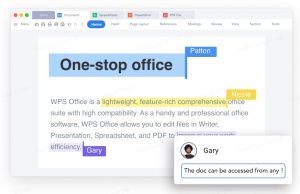
WPS Writer: Offers real-time co-editing, allowing multiple users to work on a document simultaneously with changes visible as they happen. It includes features like track changes, comments, and an in-document chat for real-time communication. Documents can be easily shared via email or cloud storage services.
Zoho Writer: Excels in real-time collaboration. It allows seamless multi-user editing, detailed change tracking, version history, and in-document comments. Its integration with other Zoho applications, like Zoho WorkDrive, enhances the collaborative ecosystem, making it easy for teams to manage and share documents.
Verdict on collaboration: Both offer strong collaboration features. Zoho Writer’s cloud-native design and deep integration with its suite often give it an edge for teams heavily reliant on real-time, online collaboration and a unified workspace.
-
Cloud integration and accessibility
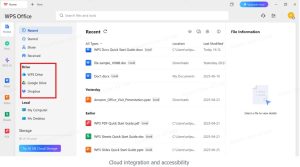
WPS Writer: Provides its own cloud storage and integrates with popular third-party cloud services like Google Drive, Dropbox, and WPS Drive, enabling cross-device synchronization. It offers fully functional desktop applications, allowing for offline work, which is a significant advantage for users with inconsistent internet access.
Zoho Writer: As a cloud-based application, Zoho Writer offers excellent accessibility from any device with an internet connection. Documents are stored in the cloud, ensuring they are always up-to-date and accessible. It also provides desktop apps for offline access, syncing changes once an internet connection is re-established.
Verdict on cloud and accessibility: Both offer good cloud integration. WPS Writer’s robust offline capabilities in its desktop applications might be preferred by users who frequently work without an internet connection, while Zoho Writer’s seamless cloud-first approach is ideal for always-connected teams.
-
Unique features and ecosystem
WPS Writer: WPS Writer stands out with an integrated, comprehensive PDF toolkit for editing, creating, and converting documents. It provides access to a vast library of over 10,000 free templates and advanced AI-powered tools for content generation and summarization. For this point, it also includes features that help AI humanization, making your documents feel more natural and engaging. For security, robust document encryption and password protection are also included, delivering a versatile and secure document creation experience.
Zoho Writer: Zoho Writer’s strengths are rooted in its cloud-native architecture and deep integration within the Zoho ecosystem. It excels in document automation, offering features like mail merge, fillable forms, and seamless electronic signatures. A powerful document analytics tool tracks views, and it supports multi-stage document approval workflows. Its primary advantage is creating a unified and efficient business management platform through its ecosystem.
Verdict on unique features and ecosystem: Zoho Writer’s strength lies in its deep business ecosystem and automation for teams. WPS Writer offers superior value for individuals and small teams with its robust PDF tools, extensive free templates, strong security, and accessible AI features.
-
Pricing and value
WPS Writer: WPS Office offers a robust free version for core functions, making it highly accessible. The “WPS Pro” individual subscription is typically $35.99/year or $2.99/month, unlocking full PDF capabilities, unlimited templates, and 20GB cloud storage. A “WPS AI” plan focused on AI features is also available for about $9.99/month (or $119.88/year). For the most complete experience, the “WPS Pro + WPS AI” bundle is priced around $10.83/month (or $129.99/year). For teams, “WPS Pro for Teams” starts at about $2.49 per user per month (billed yearly, for two users).
Zoho Writer: Zoho Writer provides a free version for individual users with basic needs. Its paid plans are usually bundled within Zoho Workplace, starting around $3 per user per month (billed annually) for the “Standard” plan, which includes email, chat, and more. The “Professional” Workplace plan is about $6 per user per month (billed annually) for higher storage and advanced collaboration. This pricing strategy leverages Zoho’s broader ecosystem.
Verdict on pricing and value: WPS Writer offers excellent standalone value for individuals or small teams seeking an affordable, feature-rich Microsoft Office-like experience. Zoho Writer, however, delivers superior long-term value for businesses integrated into its ecosystem, despite its per-user cost, via a comprehensive suite.
Let’s wrap up
WPS Writer and Zoho Writer both offer compelling value, but WPS Writer shines as a highly accessible, feature-rich alternative to Microsoft Word. It particularly appeals to individual users and those prioritizing desktop functionality and budget, with its free version being notably generous. WPS Writer is an excellent choice for users seeking a familiar interface, advanced features like PDF editing and document comparison, and broad platform compatibility. Its robust editing tools and cloud integration make it a reliable option for both personal and professional use.
