

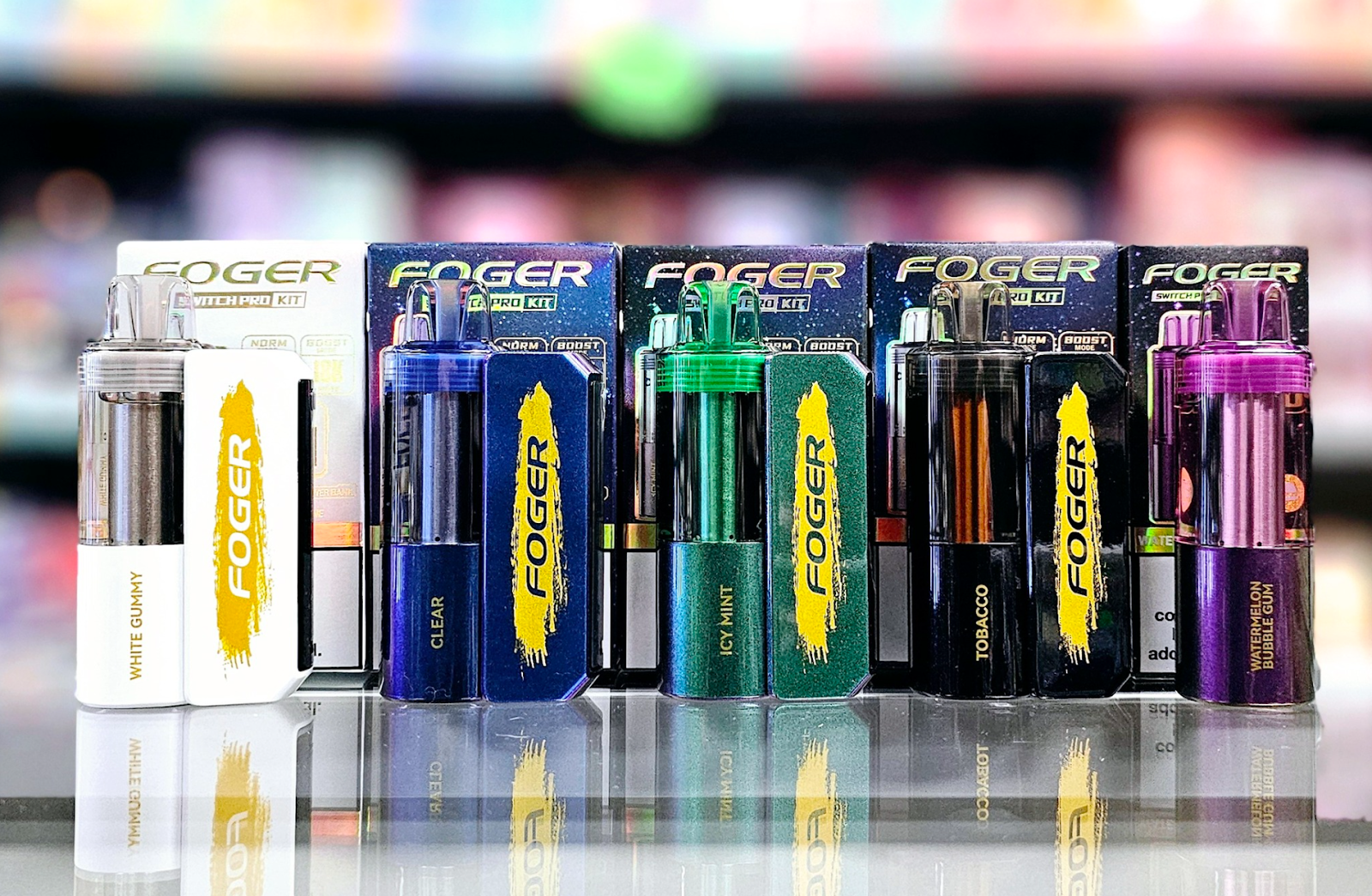
The Foger Switch Pro is a truly special and unique disposable vape. The kit comes in two parts and includes a pod and a magnetic charging dock. The pod works separately as a standalone vaping device, allowing you to use the pod on its own as an ultra-portable vape or use it while connected to the dock for extra battery life.
The Foger vape doesn’t work quite like other disposable vapes. The pod doesn’t charge through a USB port. Instead, it charges when you connect it to the dock. Because the Foger Switch Pro has a slightly more complicated charging procedure compared to other disposable vapes, there’s more that can potentially go wrong.
The good news is that when a Foger vape isn’t charging, it’s almost always fixable – often quite easily. Let’s get right down to it and get your Foger vape working again.
Make Sure You Have the Charging Dock
We need to get something important out of the way before you start performing more advanced troubleshooting steps. In order to charge the Foger Switch Pro pod, you need to have the charging dock. Foger tries to make this fact clear by labeling the main part of the device a pod rather than a vape, but it’s still possible to get confused and buy the pod on its own rather than getting a full kit. If you’ve done that, you need to go back to the vape store and buy a full Foger kit because you won’t be able to charge your pod otherwise.
Although you’ll have to spend a bit more money, you’ll have two pods rather than one. You can also keep the dock and use it to charge your Foger pods in the future.
Make Sure You’ve Removed the Plastic Strip in the Dock
If you already have the full Foger kit with the dock, take a closer look at the dock. Do you see a plastic strip covering the dock’s charging pins? Remove the strip and throw it away. The Foger vape ships as a single unit, and the plastic strip is there to prolong the battery’s life by preventing self-discharge. Once you’ve removed the strip, the pod should charge normally.
Determine Whether the Dock or the Pod Is Causing the Charging Issue
If you’ve already removed the strip from the dock and find that your Foger vape still isn’t charging, you’ll need to determine which of the vape’s two components is causing the issue before you can troubleshoot further. This takes just a moment.
- Connect the Foger dock to your computer using a USB cable. If the dock lights up, it’s working properly. Wait for the dock to charge fully before continuing. If it doesn’t light up, proceed with the section immediately below this one.
- Connect the Foger pod to the dock. If the dock lights up, the pod is charging. It’s possible that the pod simply didn’t have a good connection before or that the dock’s battery was dead. If the dock doesn’t light up, proceed to the “How to Fix a Foger Pod That Isn’t Charging” section below.
How to Fix a Foger Dock That Isn’t Charging
Fixing a Foger dock that isn’t charging is much the same as fixing a charging problem with a standard disposable vape because you’re just troubleshooting a power delivery issue via USB. Here’s what you need to do.
- Use a different USB cable. If your Foger dock charged previously and has suddenly stopped charging, it’s very likely that the cable has internal frays and isn’t transferring power reliably anymore.
- Use a different power source. The Foger dock should charge through any USB wall adapter with an output of 5 volts and 1 amp. If you don’t have a wall adapter meeting those specifications, use your computer instead.
- Clean the charging port. You can remove small debris from a USB-C port with a toothpick or a can of compressed air. Don’t try to clean the port with a metal tool.
How to Fix a Foger Pod That Isn’t Charging
If you have a Foger pod that isn’t charging, it means that power isn’t transferring properly through the pins that connect the pod to the charging dock. Here’s what you need to do.
- Clean the pins. The Foger pod and dock both have metal pins that need to connect solidly in order for power to transfer from the dock to the pod. If the pins are dirty, they won’t work properly. You can remove light debris by rubbing the pins with an eraser. You should also push the pins gently to make sure they aren’t stuck. They’re spring-loaded and should pop back out when you push them. If a pin is extremely dirty, you can clean it using a cotton swab moistened with isopropyl alcohol.
- Wiggle the pod slightly. It’s possible that the dock and pod are working properly, but the pins aren’t quite touching. Try moving the pod back and forth in a gentle twisting motion to see if you can get the pins to connect. If the dock lights up, you’ve fixed the problem.
- Open the pod and adjust the wires. If all else fails, it’s possible that the Foger pod isn’t charging because of a misalignment in its internal wires. You can check that by twisting off the pod’s bottom cap and taking a look inside. In the pod, you should see a pair of wires leading to the battery. When you push the pins on the bottom of the pod, they should touch the wires. Adjust the wires if the pins don’t touch them. Replace the bottom cap carefully.
After you’ve followed all of the above steps, your Foger vape should be charging again. Connect the pod to the dock, and the dock should light up. Charging the pod takes approximately 15 minutes, and you can see the status by checking the battery indicator on the dock’s display. When the pod is fully charged, you’re ready to resume vaping.
